Connect QuickBooks to OneScreen
It takes a few minutes. You sign in on Intuit's own page, and OneScreen can only read your figures.
The steps
If you see Sample data, choose Switch to my real data first. Sample data can't be connected.
-

Open OneScreen
Use the OneScreen shortcut on your desktop, or choose OneScreen in the Start Menu.
-

Open Settings, then Connections
Scroll to Live accounts. Find the QuickBooks Online card and press Connect QuickBooks.
Prefer the guided way? Choose Settings, then Setup, then Include my finances, and pick QuickBooks Online as your source. Step 3 has the same Connect QuickBooks button.
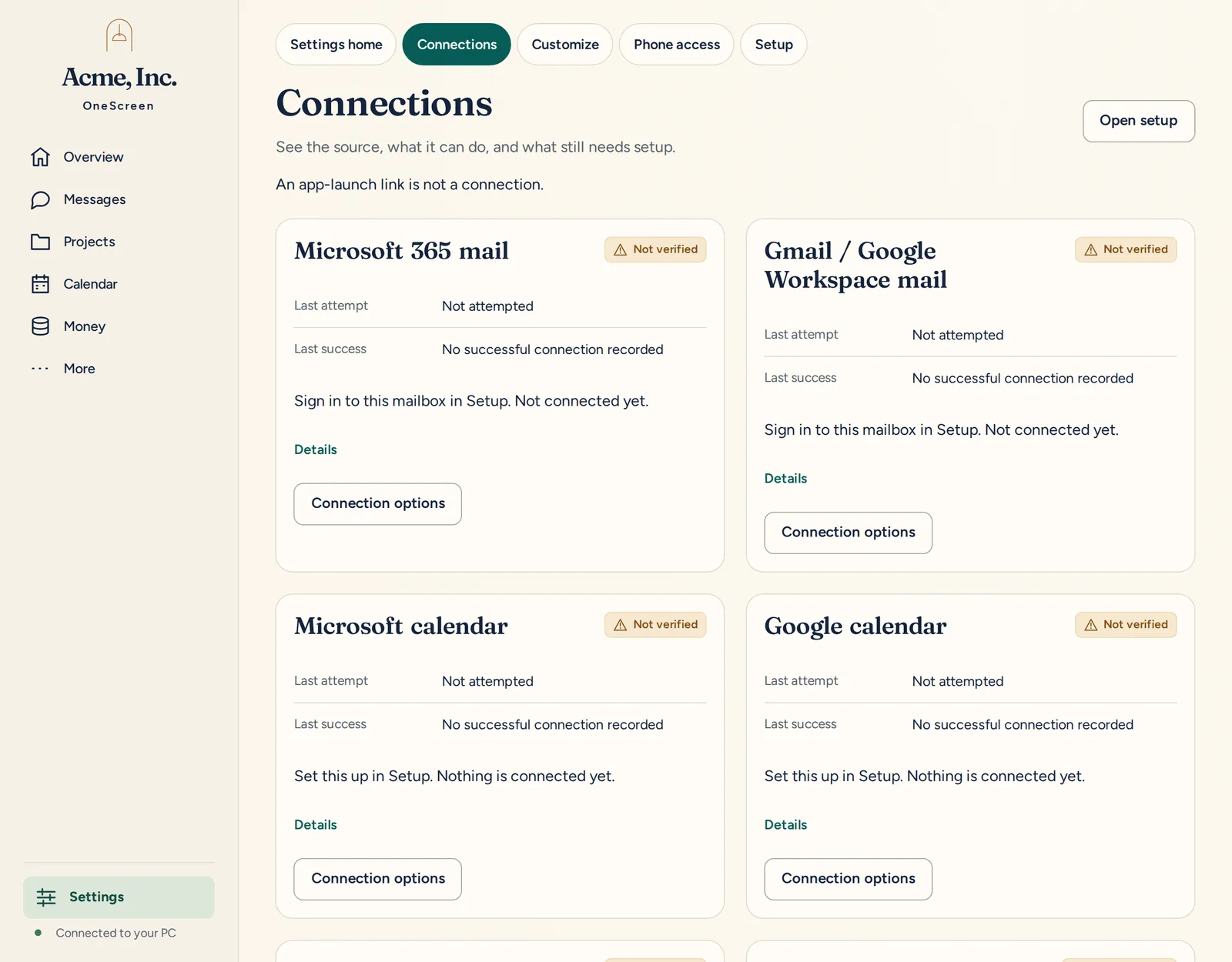
Settings, then Connections, with nothing connected yet. -

Press Connect QuickBooks
OneScreen explains what's about to happen. Then choose Sign in with QuickBooks.
No Connect QuickBooks button? Sign-in isn't set up on this PC yet. Email us and we'll help.
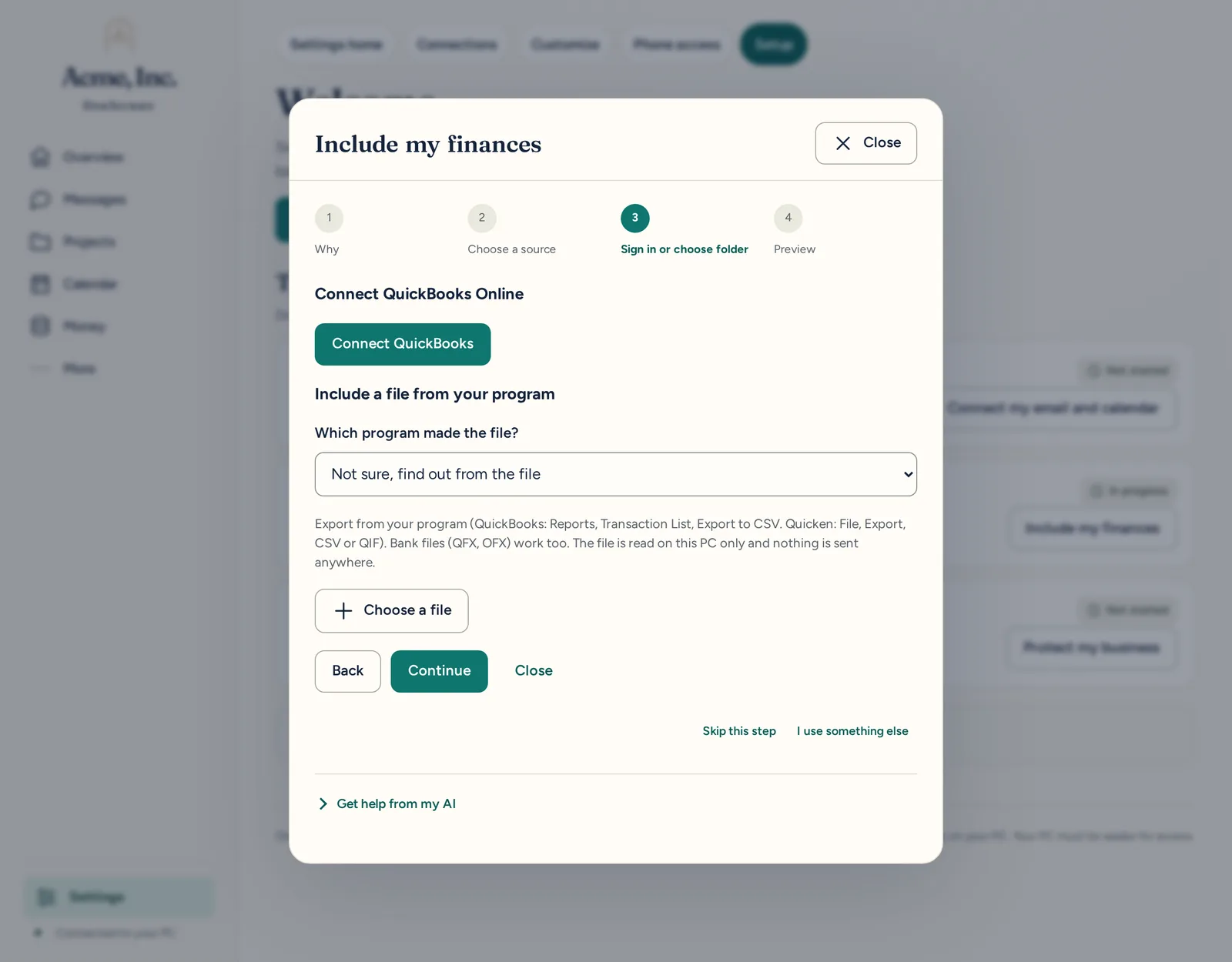
Setup, step 3: the QuickBooks Online card. -

Sign in on Intuit's page
A new window opens. It's Intuit's own sign-in, not ours. Sign in with the account you use for QuickBooks Online and choose your company.
-

Allow read access
Intuit may word the permission as managing your accounting data. That's the only permission it offers. OneScreen only reads, and it's built so it can't create, change or delete anything.
-

Come back to OneScreen
The window updates by itself. The QuickBooks card first shows First check in progress. When it says Connected, you're done.
If you close Intuit's window before you finish, press Connect QuickBooks to start again. The sign-in link works for 30 minutes.
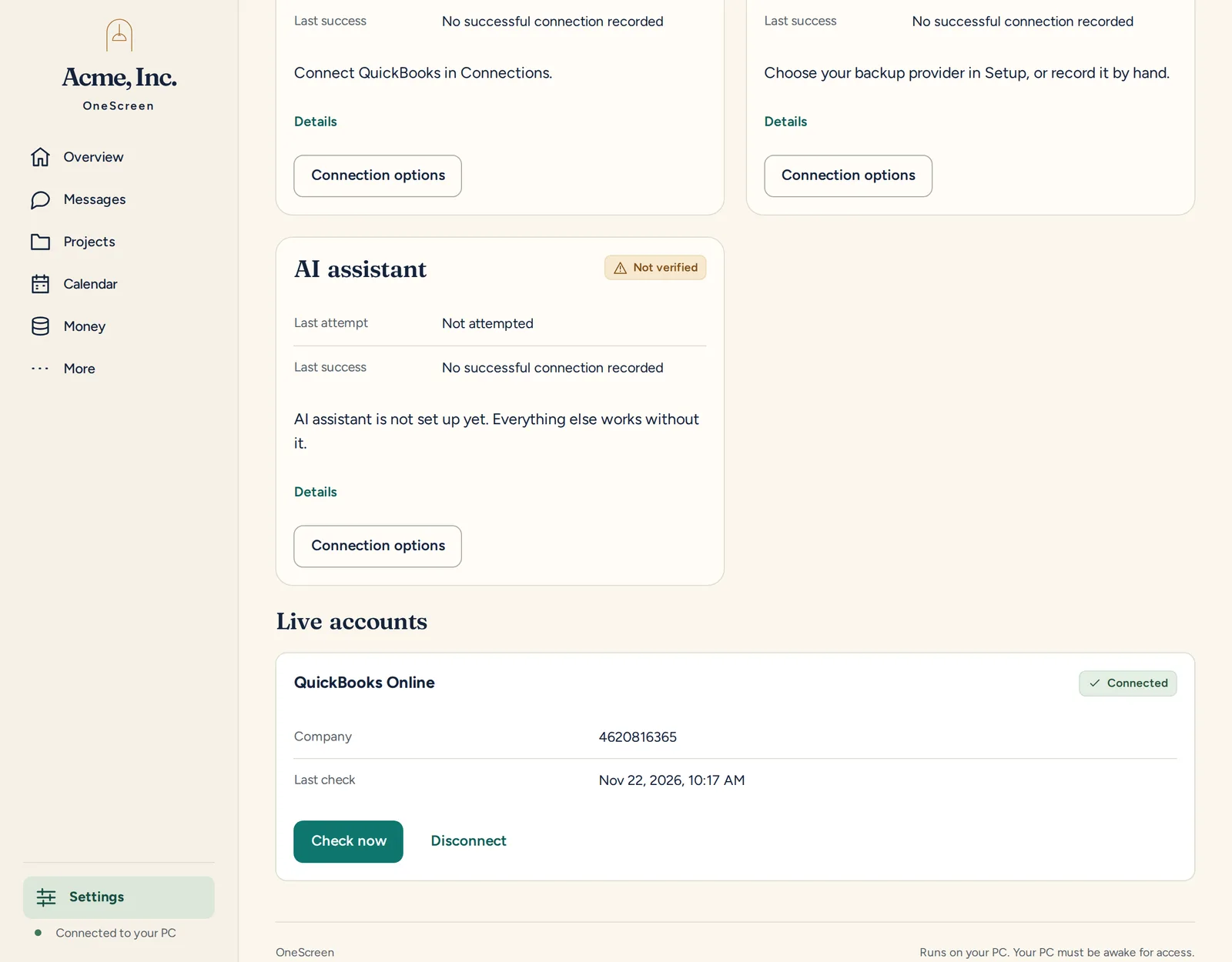
Connected.
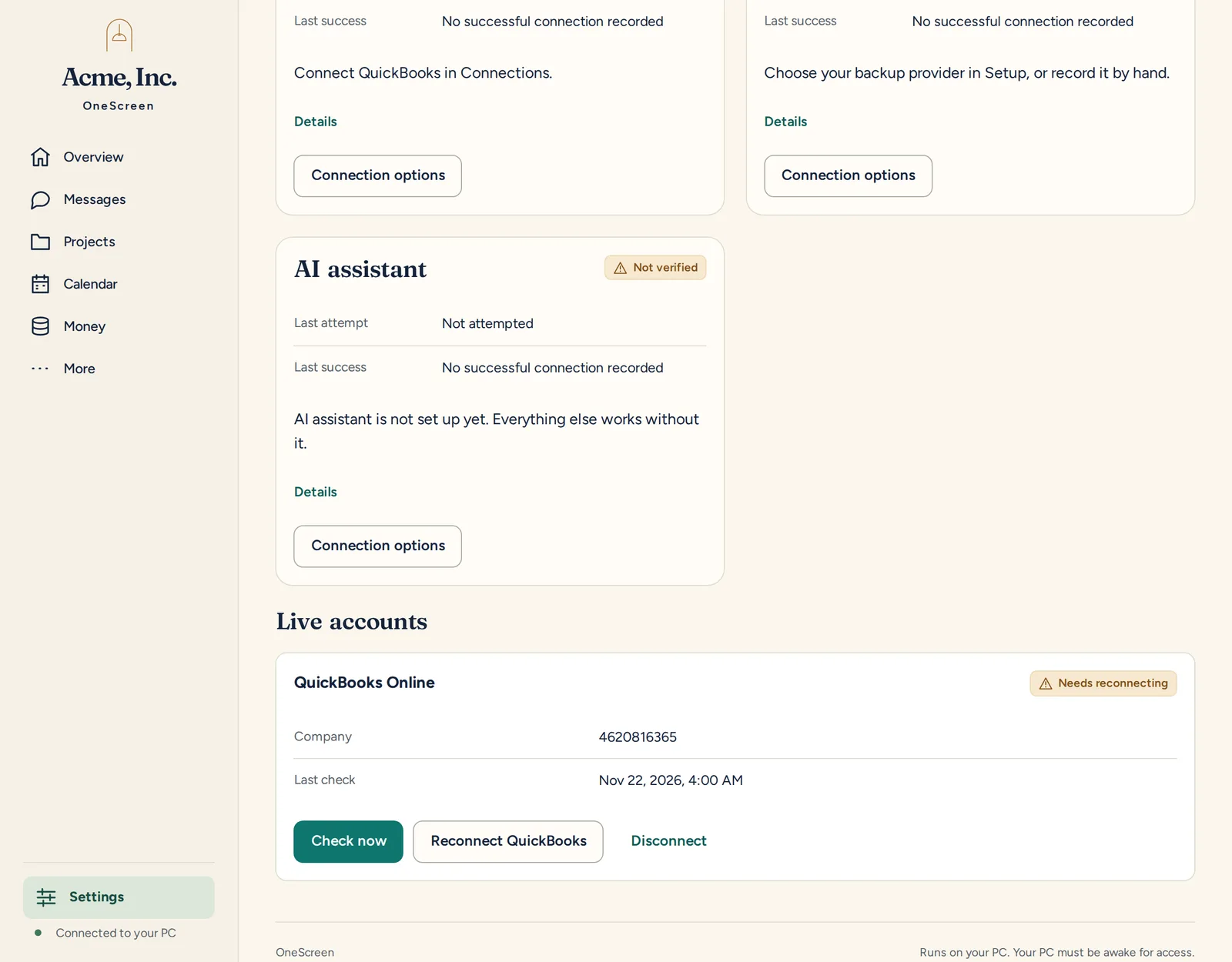
QuickBooks needs you to sign in again. Open Settings, then Connections, find the QuickBooks Online card and press Reconnect QuickBooks. Sign in the same way as above.
What OneScreen reads
Your company name, invoices, payments received, expenses and bill payments, plus the customer names they refer to. It checks again about once a day.
What it never does
OneScreen never creates, edits or deletes anything in QuickBooks. For QuickBooks it only makes read requests, and it only talks to Intuit's sign-in and data services. Your sign-in is stored on your PC in encrypted form, and it never appears in logs or error messages.
OneScreen can also bring in money figures from a file, such as an export from your bank or PayPal. See the other ways in. Want to stop? See how to disconnect. Questions? Email info@adaptiveips.com or call (888) 382-7685. Read the Privacy Policy and Terms of Service.
QuickBooks is a trademark of Intuit Inc. OneScreen is not endorsed by or affiliated with Intuit.