Disconnect QuickBooks or uninstall OneScreen
You're in control. Disconnecting takes a minute, and your computer keeps working as before.

Disconnect QuickBooks
-

Find the QuickBooks card
Open OneScreen, choose Settings, then Connections, and scroll to Live accounts. Press Disconnect on the QuickBooks Online card.
You can also do this in Settings, Setup, Include my finances, step 3. It's the same dialog.
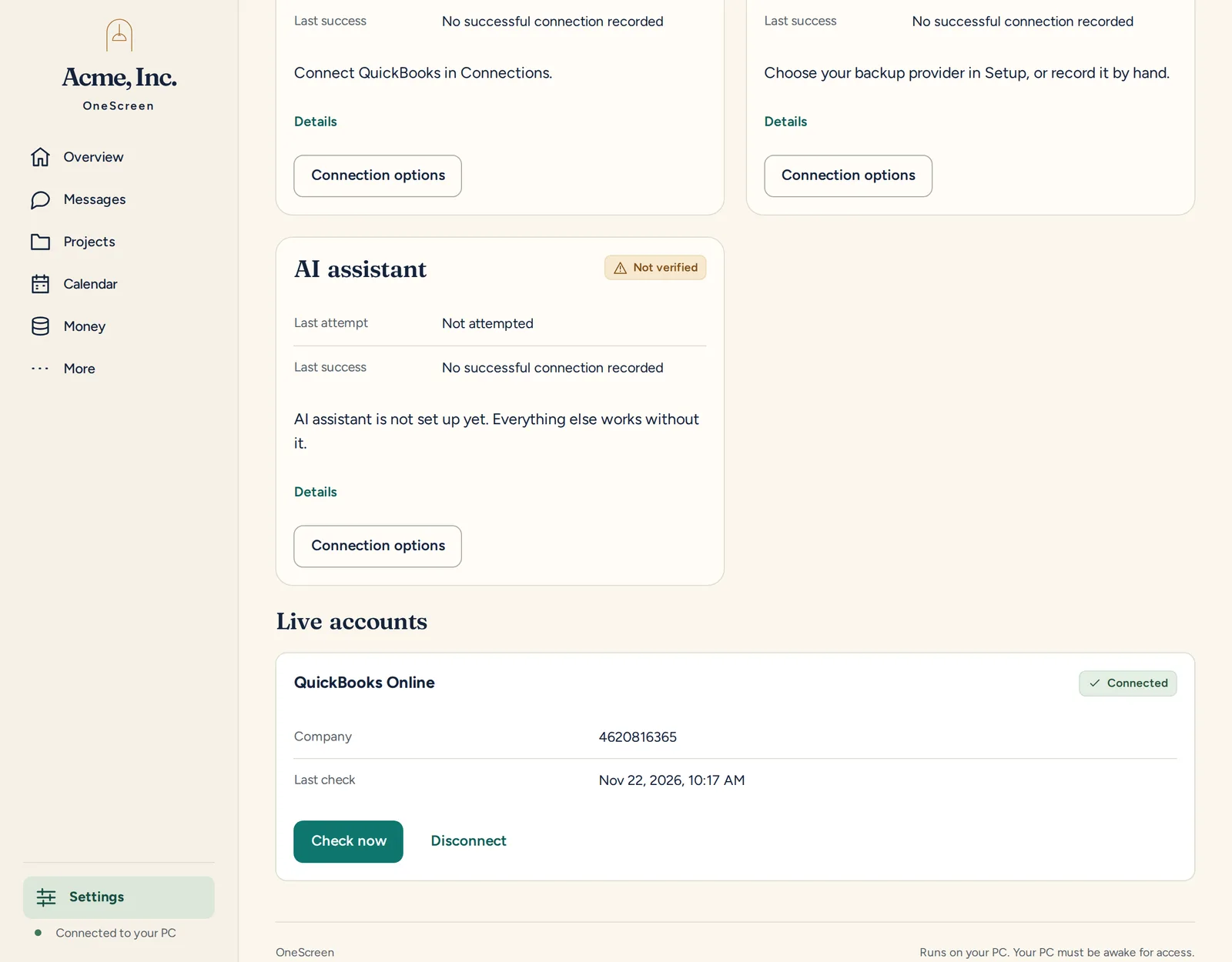
The QuickBooks Online card, with its Disconnect button. -

Choose what happens to the figures
You get two choices. Remove the money figures from this QuickBooks account is selected by default. It deletes only figures imported from that QuickBooks company, never figures you imported from files. Choose Keep them to leave the figures in place.
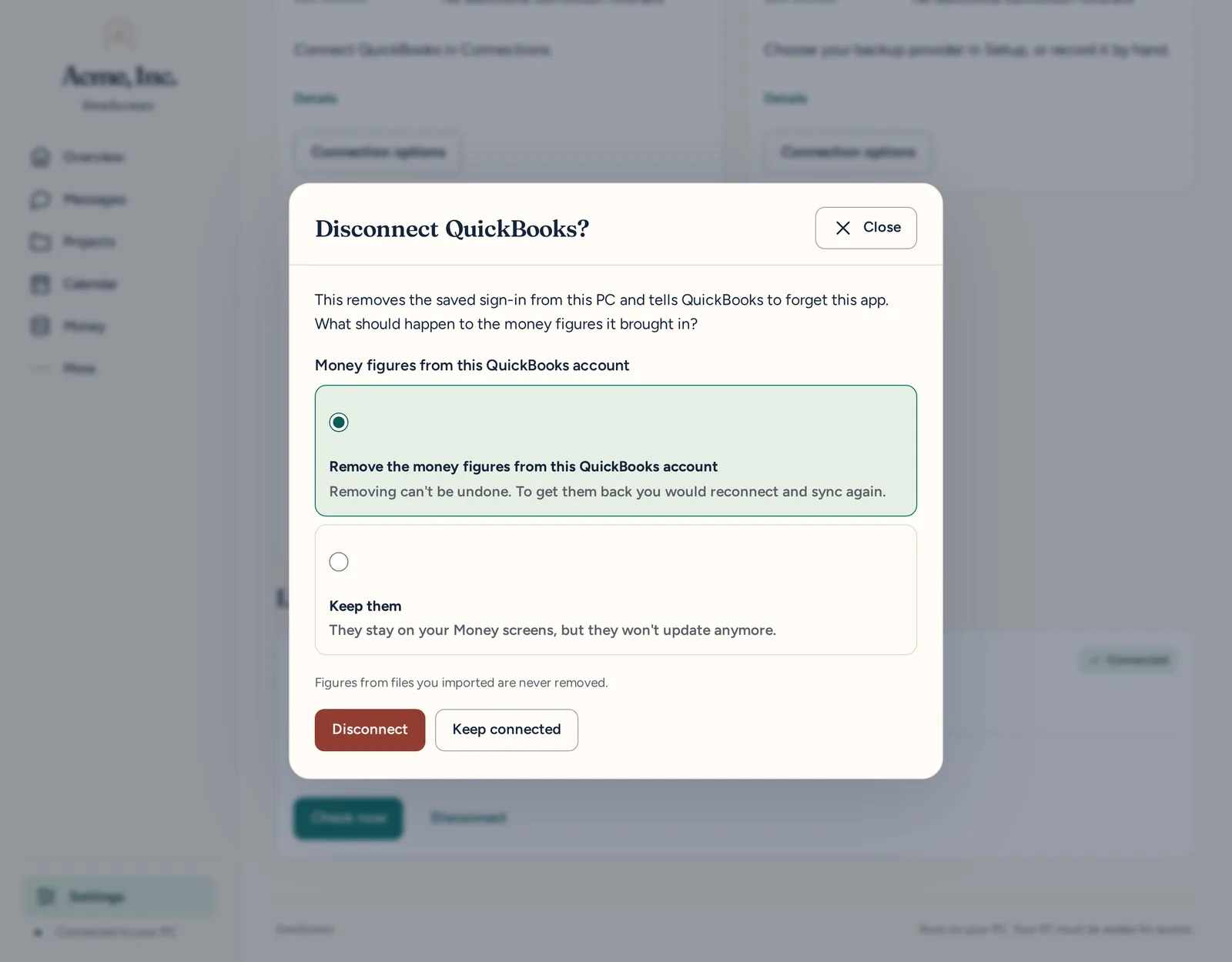
The two choices, with Remove selected. -

Press Disconnect
OneScreen always deletes the saved sign-in from your PC. It also asks Intuit to cancel its access. Press Keep connected instead if you change your mind.
-

Check the card
The card now shows Not connected, with a Reconnect QuickBooks button. A message says "Disconnected. Money figures removed." (or "Disconnected. Money figures kept." if you chose Keep.)
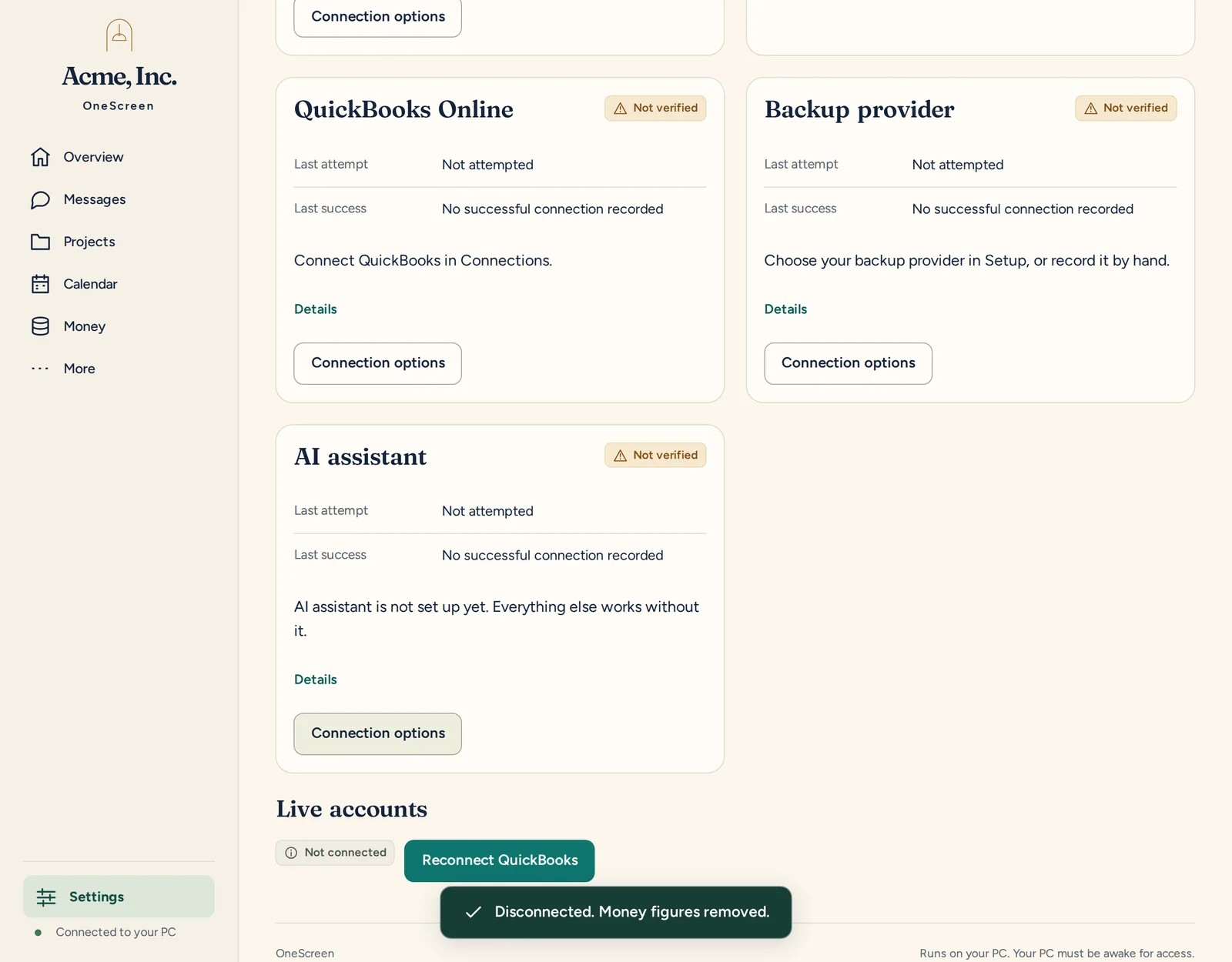
Not connected.
To get removed figures back, reconnect QuickBooks and let OneScreen read them again.
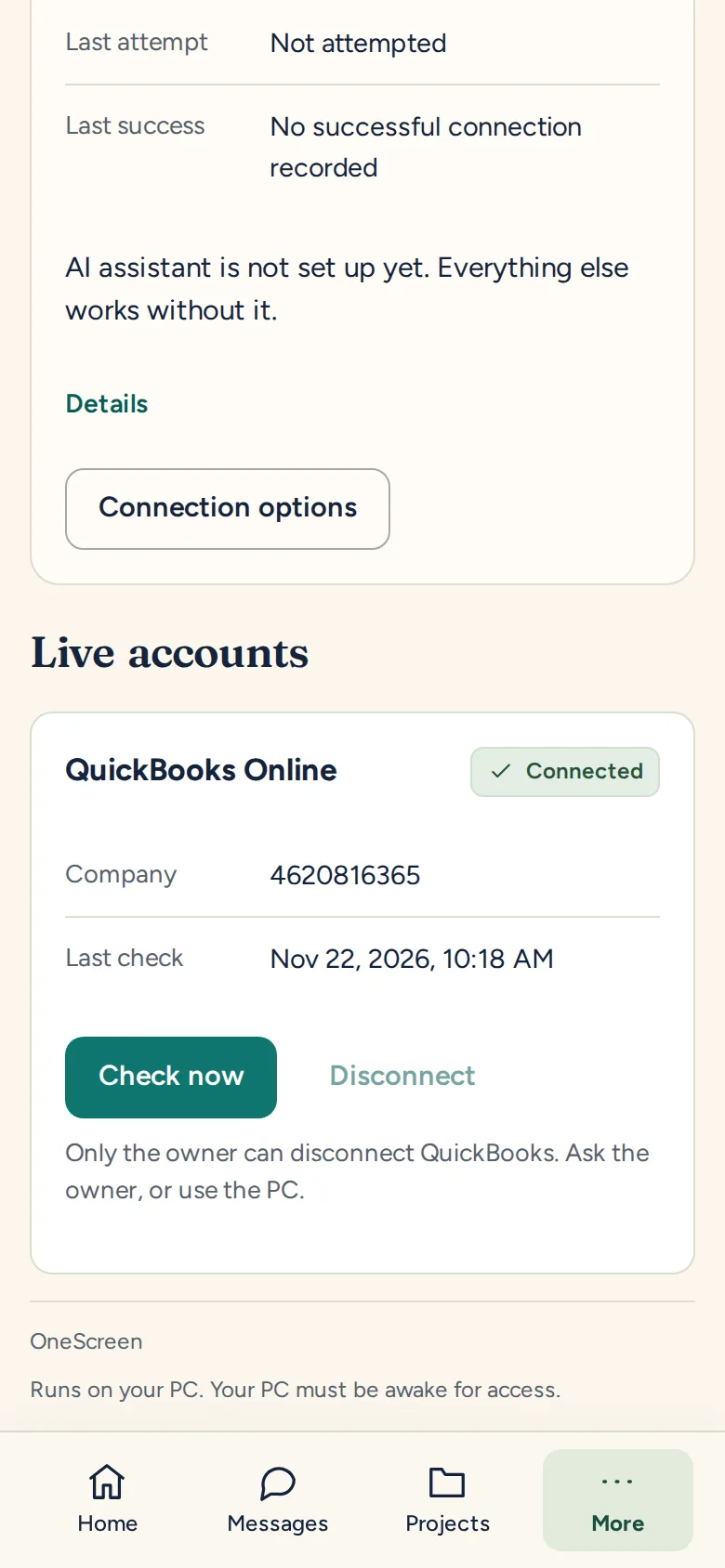
Disconnect is greyed out on a phone that isn't the owner's. It says "Only the owner can disconnect QuickBooks. Ask the owner, or use the PC."
Make sure from the QuickBooks side
Asking Intuit to cancel access is a request, so to be sure, also remove OneScreen in your QuickBooks account's connected apps. That cuts off access at Intuit too.
What's certain either way: the saved sign-in is deleted from your PC.
Uninstall OneScreen
Disconnect QuickBooks before you uninstall. The uninstaller doesn't contact Intuit.
Choose Uninstall OneScreen in the Start Menu, or find OneScreen under Apps in Windows Settings. The uninstaller asks "Also delete your OneScreen data (the folder ...)?" and shows your data folder.
- Choose No to keep your data. A later install picks up where you left off.
- Choose Yes to delete the data folder from your PC.
Bringing in figures from a file instead? See the other ways in. Questions? Email info@adaptiveips.com or call (888) 382-7685. Read the Privacy Policy and Terms of Service.
QuickBooks is a trademark of Intuit Inc. OneScreen is not endorsed by or affiliated with Intuit.